


background remover with AI


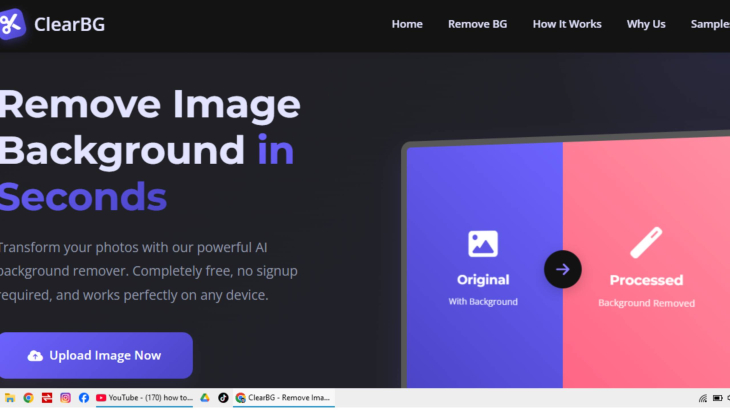
Service Description
I have developed a fast and user-friendly Background Remover web tool that allows users to remove image backgrounds automatically with just one click. No login or signup is required. Users can simply upload an image, and the system intelligently detects the subject and removes the background while keeping smooth edges and original image quality intact.
The website is fully responsive, working seamlessly on mobile, tablet, laptop, and desktop devices. It includes features such as drag & drop image upload, before/after preview, high-quality image download, and background replacement options. The UI is modern, clean, and inspired by a PicsArt-style design for a smooth and attractive user experience.
This tool is ideal for designers, freelancers, e-commerce sellers, students, and social media creators who need quick and professional image editing without complex software. The platform is optimized for speed, performance, and ease of use.
Technology Used
HTML5 – Semantic and responsive page structure
CSS3 / Tailwind CSS – Modern UI, smooth animations, and responsive design
JavaScript (ES6+) – Core logic, image handling, and UI interactions
AI / ML Background Removal API – Automatic subject detection and background removal
Canvas API – Image preview, editing, and rendering
REST API Integration – Secure and fast image processing
Cloud Hosting (Vercel / Netlify / Firebase Hosting) – Fast and reliable deployment
CDN Optimization – Faster image loading and performance
Frequently Asked Questions
1. Do I need to sign up to use the background remover?
No. The tool does not require any login or signup. You can use it instantly.
2. Is the background removal automatic?
Yes. The background is removed automatically using AI-based image processing with just one click.
3. Will the image quality be reduced after background removal?
No. The tool preserves the original image quality and maintains smooth, clean edges.
4. Can I use this tool on mobile devices?
Yes. The website is fully responsive and works on mobile, tablet, laptop, and desktop devices.
5. Does it support drag and drop image upload?
Yes. You can upload images using drag & drop or the upload button.
6. Can I change the background after removing it?
Yes. You can download the image with a transparent background or replace it with another background.
7. What image formats are supported?
Common image formats such as JPG, PNG, and WEBP are supported.
8. Is there any watermark on the downloaded images?
No. Downloaded images are clean and watermark-free.
9. Who is this tool best suited for?
This tool is ideal for designers, freelancers, e-commerce sellers, students, and social media content creators.
10. Is this tool free to use?
Yes. The basic version of the tool is free to use.



Share This Service


